
Workflow App
This is how these famous entrepreneurs implemented workflow management to optimize their processes and increase their profits. →

Workflow App
The business process management it is supported by software that monitors, measures times and allows processes to be optimized. This in order to be more productive, apply process reengineering and increase the company's profits.

Why do you need to implement it?

Atari, Block Buster, Kodak, Olivetti, Nokia and Blackberry are examples of companies that did not implement new technologies and when they wanted to react it was already too late.
On the other hand, Ford, McDonald's, Apple, Space X and Amazon; are examples of companies that implemented technology for continuous process improvement and innovated to increase their profits.
Where does a workflow app apply?
Benefits of a workflow app

Real-time process status monitoring
Increased productivity
Automatic notifications of tasks to be performed
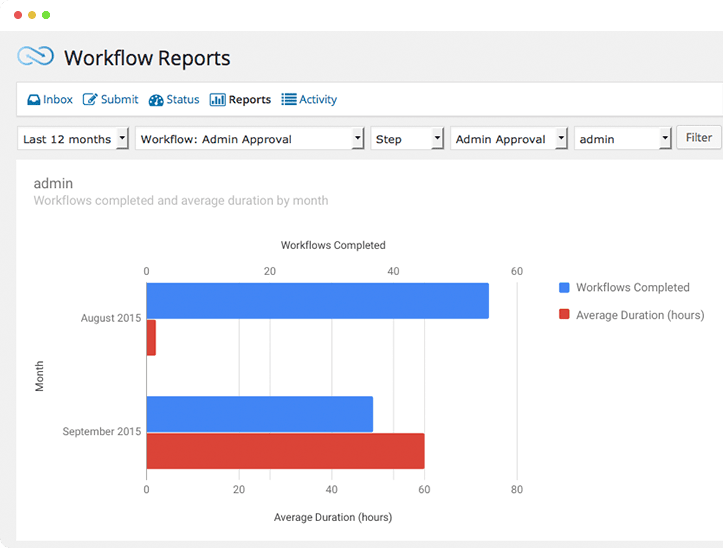
Statistical reports to optimize the process
Provides information for process reengineering
Optimize processes and increase profit margin
Facilitates continuous improvement in companies
Decision making based on real data
Characteristics

Process Modeling
Based on the workflow description you provide us, we generate the Process Modeling. And based on this diagram, we will configure the workflow in the application.
Variety of fields
We can create your workflow app with a wide variety of fields such as:
Text, option lists, boxes, image selection, radio, photos, videos, slider, mathematical calculations, matrix, signature, date, time, comments, etc.


Mathematical operations
If necessary, mathematical calculations can be performed with the captured information.
The implementation of a workflow app is very simple and intuitive, so it is very well accepted by company personnel.
Signature on screen
We generate your application and automated process according to your needs.
We can include different types of fields including the signature on screen, taking photos as evidence and more.


Photos and video as evidence
You can take photographs and attach them as well as videos and files, so you can have these evidences that will serve to control the process.

task notifications
Email notifications or even push notifications can be configured to inform users of pending tasks or completed tasks.
Approve or reject tasks
Managers or directors can easily Approve or Decline a certain task or request.
The system can automatically notify other users of the result of that decision.
Depending on whether it was approved or rejected, the next user in the workflow will be notified of the task to follow.


Workflow monitoring
The director of the area will be able to consult the information captured, as well as the status of each of the entries for continuous improvement.
Consult information and chronology of the process
The director of the area will be able to consult the details of each entry, as well as the schedule or Timeline of the entire process.

 ES_MX
ES_MX  EN
EN